


 Distributors
  SDS Download
  Contact
 Partner Login
Enter your username and password here on order to log in on the partner portal:
No registered partner yet?
Register nowTop 10 Inkjet Coding Printers for Global Buyers
Choosing an Inkjet Coding Printer is not just a matter of comparing prices or print speeds. Global buyers must match the machine to their product, production line, and operating environment. A code that looks crisp on a dry carton may blur on a curved bottle or a damp film. Small tests matter.
This guide compares ten options through practical questions: Can operators change messages quickly? Are replacement parts accessible? Does the printer handle the intended substrate and line speed? How clear are setup instructions and service terms? These details can matter more than a polished specification sheet. A fast printer is not automatically the right one.
Professor Ian Hutchings is a printing-process researcher whose work offers a useful technical lens. The following is an editorial paraphrase, not a verified direct quotation: “Reliable printing depends on matching the process to the material and the job.” That principle guides this comparison. It also leaves room for doubt: published specifications cannot predict every factory condition. Check sample prints, confirm local support, and ask suppliers to demonstrate the exact code, surface, and line setup you use. The rankings are a starting point, not a substitute for a production trial. Even a promising machine can disappoint when maintenance, consumables, or operator training are overlooked.
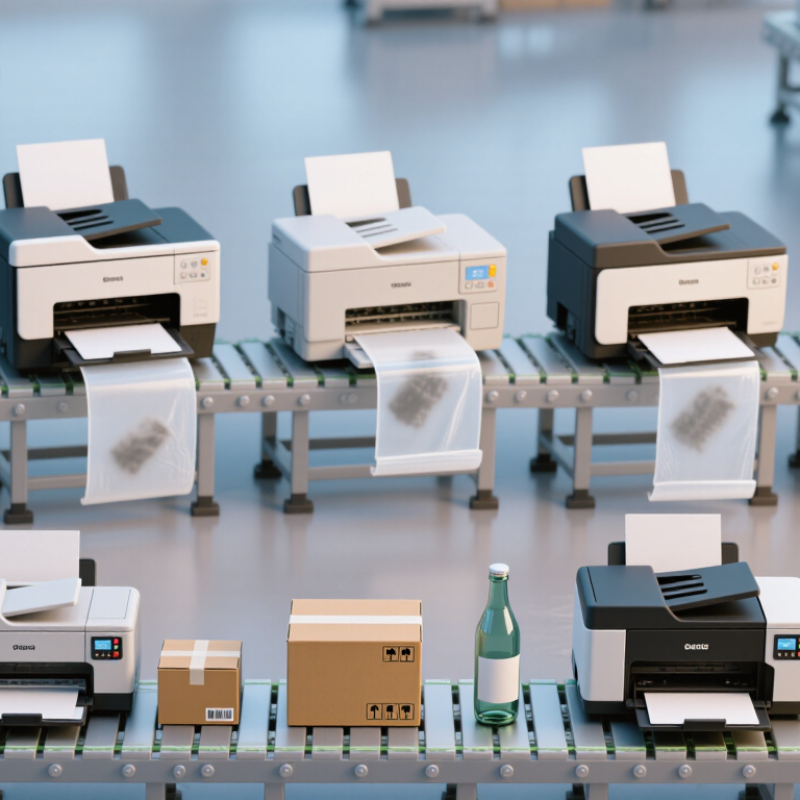
Industrial Inkjet Coding Explained: CIJ, TIJ, and Piezo Technologies
Industrial inkjet coding is not one technology. Continuous inkjet (CIJ) keeps droplets moving through a printhead, making it useful for fast lines and curved or uneven packages. It can mark bottles while they move past the nozzle. The trade-off is solvent handling, routine cleaning, and careful control of print distance. Downtime can erase the benefit of speed.
Thermal inkjet (TIJ) heats tiny ink chambers to create droplets. It often produces crisp dates and small text with less routine maintenance, but cartridge costs and ink compatibility deserve close review. Piezo inkjet uses electrical pulses to flex a crystal, ejecting droplets without heating the ink. This can support varied fluids and larger marks, though head setup and substrate testing matter. Small detail.
Smithers’ The Future of Inkjet Printing to 2027 projected the broader global inkjet printing market would rise from US$86.2 billion in 2022 to US$118.2 billion in 2027. That figure covers much more than coding equipment; it signals wider adoption, not guaranteed printer performance. In plant trials, compare legibility after handling, startup waste, cleaning time, and actual line speed. A glossy pouch and a dusty carton may need different settings. I would not choose by headline speed alone. The awkward part is that sample tests rarely reproduce every shift, ink batch, or humidity change.
Top 10 Inkjet Coding Printers for Global Buyers - Industrial Inkjet Coding Explained: CIJ, TIJ, and Piezo Technologies
A technology-based shortlist, not a brand ranking. Output and compatibility vary by printer, printhead, ink, substrate, and production setup.
| # | Printer Configuration | Technology | Suitable Substrates | Typical Coding Use | Key Advantages | Buyer Considerations |
|---|---|---|---|---|---|---|
| 1 | General-purpose CIJ line coder | Continuous Inkjet (CIJ); small droplets are deflected from a continuous ink stream. | Many packaging materials, including plastics, glass, metal, and coated surfaces; ink choice matters. | Dates, lot codes, short text, and simple symbols on moving production lines. | Non-contact printing; suitable for varied product shapes and fast-moving lines. | Check ink adhesion and drying time on the actual product. Plan for solvent handling and routine system maintenance. |
| 2 | Pigmented CIJ coder for contrast | CIJ using pigmented ink formulations. | Dark or colored packaging and selected non-porous surfaces, subject to ink compatibility. | High-contrast identification codes where standard dye-based ink is difficult to see. | Can provide more visible marks on dark backgrounds than many dye-based inks. | Pigmented inks may require additional attention to ink circulation, cleaning, and maintenance. Test legibility and rub resistance. |
| 3 | Compact CIJ coder for confined lines | CIJ with a compact printer cabinet and printhead arrangement. | The same broad substrate range as other CIJ systems, depending on selected ink. | Basic variable codes where floor space or installation space is limited. | Can fit production areas with restricted space while retaining non-contact coding. | Confirm access for servicing, ventilation, cable routing, and operator interaction before installation. |
| 4 | Aqueous TIJ carton coder | Thermal Inkjet (TIJ); heat forms and ejects ink droplets from a cartridge printhead. | Porous or absorbent materials such as paper, paperboard, and some uncoated cartons. | Sharp dates, batch codes, text, and barcodes on cases and cartons. | Cartridge-based ink delivery and high-resolution text or code printing are common TIJ advantages. | Water-based inks generally suit absorbent surfaces best. Verify drying time, smear resistance, and code quality at line speed. |
| 5 | Solvent TIJ coder for non-porous packs | TIJ using a solvent-based ink formulated for compatible non-porous surfaces. | Selected plastics, films, and coated materials; compatibility differs among ink formulations. | Lot and date codes on packaging that does not readily absorb aqueous ink. | Cartridge-based operation with ink options designed for faster drying on certain non-porous surfaces. | Test adhesion, drying, and resistance on the exact substrate. Follow ink safety and storage requirements. |
| 6 | High-resolution TIJ code printer | TIJ configured for fine text, detailed graphics, and machine-readable codes. | Compatible cartons, labels, and other surfaces suited to the selected cartridge ink. | Small text, logos, and 1D or 2D codes where print definition is important. | Can produce detailed marks without a traditional CIJ ink circuit. | Confirm code readability at the intended print distance, speed, and substrate position. Print area depends on cartridge and head setup. |
| 7 | Multi-head TIJ system for wider print areas | Multiple TIJ printheads arranged to increase the available print width or height. | Cartons, cases, and other compatible packaging surfaces. | Larger text blocks, multiple code fields, or codes placed across a wider area. | Modular head arrangements can extend the print area compared with a single head. | Head alignment, triggering, data synchronization, and replacement cartridge costs become more important as the system expands. |
| 8 | Large-character piezo DOD case coder | Piezoelectric Drop-on-Demand (DOD); electrical pulses flex piezo elements to eject droplets when required. | Typically porous case materials such as corrugated cardboard, subject to ink selection. | Large shipping marks, text, and case identification on secondary packaging. | Designed for larger characters and print areas than many small-character coding setups. | Print size, resolution, and permitted print distance depend on the specific head and system configuration. Check carton surface consistency. |
| 9 | Fine-detail piezo DOD coder | Piezo DOD printhead selected for finer text or graphic output. | Materials compatible with the specified piezo ink, including some porous and coated packaging. | Detailed text, graphics, and variable information on packaging or product surfaces. | Piezo actuation supports a range of ink formulations and printhead designs. | Confirm ink compatibility, maintenance needs, printhead gap, and required image quality with production samples. |
| 10 | Multi-head piezo DOD case-marking system | Multiple piezo DOD heads coordinated for a larger or segmented print area. | Case and shipping packaging compatible with the selected piezo ink. | Large-format case information, multiple mark locations, or wider graphics. | Can cover larger areas than a single printhead, depending on head layout and controller. | Evaluate synchronization, nozzle maintenance, integration complexity, and total cost of ownership across all heads. |
Selection tip: validate print quality, adhesion, drying, code readability, and ink compliance using the intended packaging material and real production conditions. CIJ, TIJ, and piezo DOD systems differ in ink delivery and maintenance requirements; individual machine capabilities are model-specific.
Related Posts
-
Top 10 Industrial Ink Marking Systems for Global Buyers
-
What Is the Best China Inkjet Coder for Global Buyers?
-
Why Choose Industrial Inkjet Printing for Your Business?
-
Ultimate Guide to Choosing the Best Cij Printer for Global Procurement Success
-
Understanding the Benefits of Inkjet Coders in Modern Packaging Industries
-
Why Choose an Inkjet Coder for Your Business Needs?
