X

Partner Login

Enter your username and password here on order to log in on the partner portal:

No registered partner yet?

Register now

How to Choose the Best Code Printer for Your Business?

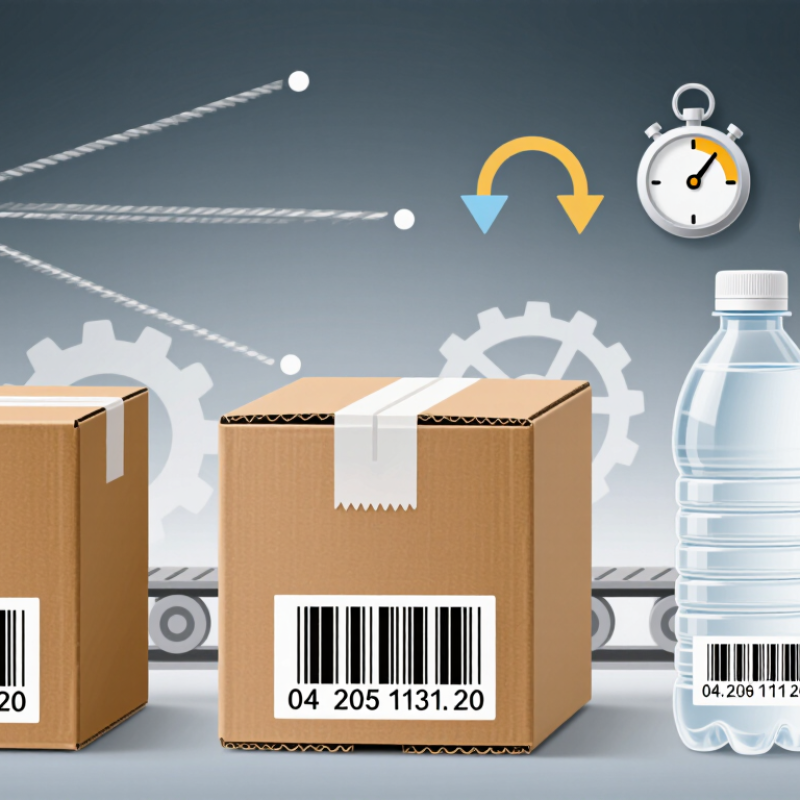
Choosing the best Code Printer is not a minor purchasing decision. It affects whether product codes remain readable from the production line to the customer. GS1 reports that barcodes are scanned more than 10 billion times worldwide each day. That scale makes consistent print quality an operational necessity, not a cosmetic detail. Yet a global figure cannot tell you which printer will work on your specific line. Small details matter.

Start with the surface being marked: a porous cardboard carton, a glossy label, and a curved plastic bottle need different print approaches. Then compare line speed, code size, required resolution, and exposure to moisture, dust, or heat. Thermal inkjet, continuous inkjet, laser, and thermal-transfer systems each suit different materials and workflows. The cheapest unit may cost more over time if it needs frequent cleaning, consumables, or line stoppages. A specification sheet alone will not show every production-floor frustration.

Industry guidance from GS1 also makes clear why code readability and consistent data formats deserve attention. Before purchasing, test samples on your actual packaging and at your real operating speed. Ask suppliers to document maintenance needs, consumable costs, integration requirements, and service response times. A practical trial can reveal issues that a polished demonstration misses. No printer is best for every business. The right choice is the one that produces durable, scannable codes within your line’s real constraints—and keeps doing so shift after shift.
How to Choose the Best Code Printer for Your Business?

Identify Your Business’s Coding and Production Requirements

Before comparing printer types, map the actual production line. Record the number of items printed per minute, the hours each shift runs, and how often the line stops. Note the surface being marked: porous cardboard, smooth plastic, glass, or a changing mix. Also check whether products are warm, damp, dusty, or moving quickly when the code is applied. Small details matter.

List exactly what each code must contain, such as a date, batch identifier, or readable text. Measure the available print area and inspect how far it sits from the printhead. A code that looks clear on a sample may blur on a curved container or disappear against a dark surface. Ask operators how often they clean equipment and reload supplies. Their routine can reveal practical constraints that a production plan misses.

Then compare these needs with printer speed, print resolution, ink or marking requirements, and maintenance access. A fast unit may still cause delays if its consumables are awkward to change. Speed is not everything. Estimate the cost of routine supplies and downtime, not just the purchase price. Before committing, test representative products on the real line, including the hardest surface to mark. One trial may not expose every issue, so review the results with operators after several shifts. A spreadsheet can miss what a cramped work area makes obvious.
Compare Code Printer Types and Printing Technologies

How to Choose the Best Code Printer for Your Business?
Compare Code Printer Types and Printing Technologies

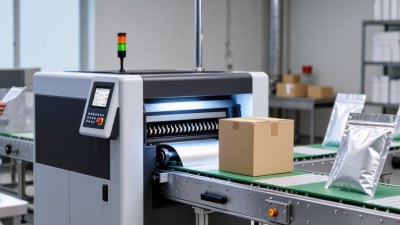
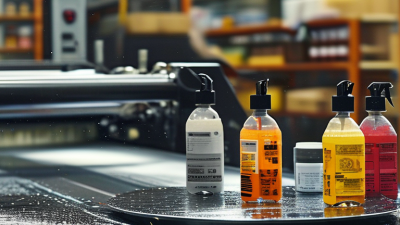
Choosing a code printer starts with the package surface and production conditions. Continuous inkjet systems can mark products moving quickly, including curved containers. Thermal inkjet printers suit many cartons and porous materials, but ink choice matters. Laser systems create permanent marks without ink, though they may need careful setup to avoid damaging sensitive packaging. It depends.

For flexible film, thermal transfer overprinting can produce clear codes using a heated printhead and ribbon. Large-character inkjet systems work better for oversized text on cases than for tiny retail codes. Compare print resolution, line speed, changeover time, and the cost of inks, ribbons, or routine servicing. A fast printer is not useful if operators struggle to maintain it.

Check whether the code stays readable after handling, moisture, or rubbing. Ask for a sample printed on your actual packaging, not just a smooth demonstration card. Test the printer at normal line speed, with real spacing and lighting. Test the real line. A tidy sample can hide setup problems, and no technology fits every product. Record rejected prints and cleaning time during a trial; those details often reveal more than the advertised maximum speed.

How to read this chart: Ratings are a relative, qualitative guide to typical applications—not measured performance benchmarks. Actual results depend on the printer model, materials, code, and production line. CIJ suits fast, varied production; TIJ offers crisp codes with straightforward operation; laser avoids ink but is substrate-dependent; TTO is designed for flexible packaging; and large-character DOD is commonly used for case coding.

Assess Print Quality, Speed, and Material Compatibility

How to Choose the Best Code Printer for Your Business?
Assess Print Quality, Speed, and Material Compatibility

A code printer must produce marks that remain readable on your actual products, not just on a showroom sample. Check code edges, contrast, and scan success under your usual lighting. Tiny characters can blur on rough cardboard, while glossy packaging may reflect light and confuse scanners. Small details matter.

Compare operating speed with your real production pace. A quoted maximum may not account for product spacing, startup delays, or time needed for ink to dry. Run a test using your typical line speed, then inspect codes on moving items. A few minutes of testing can reveal smearing or missed prints. Test before buying.

Material compatibility deserves equal attention. Try the printer on each surface you use, such as porous cartons, coated labels, flexible film, or curved containers. Check adhesion after handling and after exposure to ordinary storage conditions. Ask for sample prints on your own materials, rather than relying only on generic demonstrations. I would not treat one successful sample as proof; batch variation and surface changes can still affect results. Keep notes on settings and outcomes, even if the first test feels convincing.

Review Integration, Maintenance, and Operating Costs

How to Choose the Best Code Printer for Your Business?
Review Integration, Maintenance, and Operating Costs

A code printer should fit your production line, not force a costly redesign. Check how it connects to your existing controllers, sensors, and production software. Ask whether operators can change print settings from the line interface or must use a separate workstation. That matters. Test sample codes on your actual packaging, including curved surfaces and moving products. A successful bench test may not reflect the pace or dust of a busy shift.

Maintenance needs deserve the same attention as print quality. Find out how often printheads, filters, or other wear parts need inspection, and whether staff can replace them safely. Request a realistic cleaning schedule, not just an ideal one. Small stoppages add up. Keep common replacement parts nearby, and confirm how quickly technical support can respond. One detail teams sometimes miss: maintenance tasks need clear ownership across shifts.

Compare total operating costs over several years, not just the purchase price. Include ink or other consumables, spare parts, energy use, training, and downtime. Estimate costs using your real production volume and code changes. The numbers will still be imperfect; assumptions about future output can be wrong. Ask suppliers to explain each estimate and identify what is excluded. A simple cost-per-mark calculation can help, but it should account for rejected prints and routine cleaning.

How to Choose the Best Code Printer for Your Business? — Review Integration, Maintenance, and Operating Costs

Indicative planning comparison for common production-line coding technologies
Printer Type Best-Fit Applications Integration Considerations Routine Maintenance Indicative Equipment Budget (USD) Estimated Consumables per 1,000 Codes Key Cost Trade-Off
Continuous Inkjet (CIJ) High-speed coding on bottles, cans, cables, and other products moving continuously on a line. Typically needs a stable mounting point, product sensor, line-speed signal, and suitable ink for the substrate. Check ventilation and ink-handling requirements. Operators may need to clean the printhead and check fluid levels. Planned servicing and periodic replacement of wear parts are recommended. $8,000–$25,000 About $0.05–$0.50 Fast and flexible, but ink and makeup-fluid use, cleaning, and servicing add recurring costs.
Thermal Inkjet (TIJ) Sharp text, barcodes, and batch codes on cartons, labels, and some non-porous surfaces, usually at low-to-medium line speeds. Requires suitable printhead placement and compatible ink for the surface. Confirm the required print distance, line speed, and barcode quality. Generally low routine maintenance; print cartridges or printheads are replaced as needed. Keep the print area clean and protect cartridges from drying out. $1,500–$8,000 About $0.10–$1.00 Lower entry cost and simple upkeep; cartridge cost can become significant with frequent printing or large code areas.
Laser Coding Permanent marks on suitable packaging, glass, metal, and some plastics; useful where ink-free coding is preferred. Requires a guarded installation, safety interlocks, and a compatible marking surface. Some materials may need testing or a different laser type. Often minimal routine consumables, but optical components need cleaning and the laser source may require specialist servicing. $15,000–$60,000 About $0.01–$0.10 for electricity and routine consumables; excludes service and equipment depreciation. Higher initial investment and safety-related installation needs, with low day-to-day consumable use.
Thermal Transfer Overprinter (TTO) Flexible films and packaging webs, including date, lot, and variable-data codes on packaging lines. Must match the packaging machine, film path, web speed, and print area. Ribbon width and code layout affect setup and material use. Replace ribbon, clean the printhead, and check alignment and pressure. Printhead life depends on settings, substrate, and operating conditions. $3,000–$15,000 About $0.05–$0.50 Provides high-quality variable data on film; ribbon use and changeovers contribute to ongoing costs and downtime.

Cost note: These are broad, indicative USD planning ranges, not vendor quotations. Actual costs vary with print volume, code size, substrate, line speed, installation, service plan, and local pricing. Consumable estimates exclude labor, downtime, maintenance contracts, taxes, and equipment depreciation; request a trial and a total-cost-of-ownership quote for your production conditions.

Test Suitable Models and Select the Best Fit

A code printer should be tested on the materials and at the speed your business actually uses. Print sample codes on your own cartons, labels, or flexible packaging, not just on clean demonstration sheets. Small details matter. Check whether characters stay sharp on curved, dusty, or slightly damp surfaces. Then inspect codes from the distance and angle staff will use during routine checks. A sample may look perfect on a desk and fail beside a fast-moving conveyor.

Run each suitable model for a full production shift, if possible. Record smudges, missed prints, setup time, and how often operators need to clean or adjust the unit. Test the largest and smallest codes you expect to print, along with any required dates or batch details. Ask operators to change a message and restart the line; their feedback can reveal awkward menus or slow changeovers. Compare consumable use, maintenance needs, and support response, not only the purchase price. A short trial has limits, and one unusually smooth run can be misleading. Repeat tests across different shifts and materials, then choose the printer that delivers readable codes with the least disruption to daily work.