X

Partner Login

Enter your username and password here on order to log in on the partner portal:

No registered partner yet?

Register now

What Is the Best 12V Mini UPS to Buy?

Choosing the best 12v Mini Ups means matching its real-world performance to the device you need to keep running. A compact unit may look ideal beside a router, fiber modem, security camera, or small network switch, but size alone tells you very little. Check the output voltage, maximum current, connector size, and polarity against your device’s label or manual. A mismatch can make a promising unit unsuitable.

Think about what happens during an outage. Does the UPS keep your router online for a brief power flicker, or do you need enough runtime to finish a work call? Look for clearly stated battery capacity and output specifications. Treat advertised runtime as an estimate, since actual results depend on the connected load and battery condition. Small details matter. A useful display or indicator can show battery status at a glance, while multiple output options may help with compatible devices. Check charging time, safety protections, warranty terms, and whether the package includes the cable you need. That last detail is easy to miss.

There is no universal winner. The best model for a low-power router may not suit a camera with a higher current draw. One awkward trade-off is that a smaller, lighter UPS may be easier to place but offer less backup time. This guide compares the features that matter and explains what to verify before buying. Use your device’s specifications as the starting point, not a product photo or a headline runtime claim. That approach may take an extra minute, but it can prevent a frustrating mismatch.
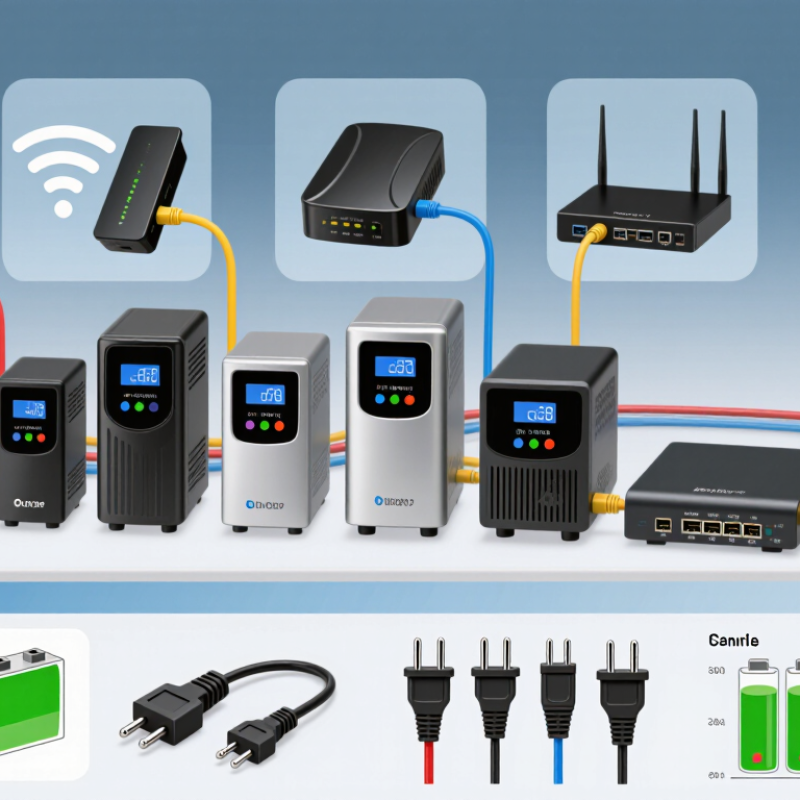
What Is the Best 12V Mini UPS to Buy?

What a 12V Mini UPS Is and How It Works

A 12V mini UPS is a small battery backup that supplies direct current to devices such as routers, modems, and security cameras. While mains power is available, its charger replenishes the battery. During an outage, internal switching keeps power flowing, often through a regulated 12V output. Power fails. Check the device label: voltage, current, connector size, and polarity must match. A mismatch can stop the device from working or cause damage. Battery capacity gives a rough runtime estimate: a 12V, 2Ah battery stores 24Wh nominally. A 6W load would use that energy in about four hours in ideal conditions. In reality, conversion losses, battery age, and cutoff settings shorten runtime. Runtime math is useful, but a little too neat.

Compatibility matters as much as capacity. A mini UPS rated for 12V may offer several output voltages, but not every port supplies the same current. Add the power needs of connected devices and leave some margin. Uptime Institute’s 2024 Annual Outage Analysis found that 54% of surveyed organizations said their latest significant outage cost more than $100,000; that finding concerns data centers, not home routers, but it shows why backup power reliability deserves attention. IEC 62040-3:2021 sets performance and test requirements for UPS equipment. For a small DC unit, compare its stated output behavior and battery specifications, rather than relying on a large runtime claim alone. Check the manual, too.

Which Devices and Power Requirements It Supports

A 12V mini UPS is useful only when its output matches your device’s voltage, connector, and power draw. Check the label. Small routers, fiber terminals, and security cameras often use 12V DC, but their current ratings vary. A 12V, 1A device needs up to 12W; a 2A device may need 24W. Choose continuous output above the rated load, with some headroom for brief power peaks. Not every unit.

IEEE 802.3af specifies 15.4W at the power source and up to 12.95W at the powered device. The 802.3at specification raises those figures to 30W and 25.5W. These standards help assess PoE equipment, but PoE capacity and barrel-jack output are separate limits. Confirm which output your device uses.

Estimate runtime by dividing usable battery energy in watt-hours by device load in watts. For example, a 36Wh battery at 85% conversion efficiency could run a 12W load for about 2.5 hours. Read watt-hours carefully: a 10,000mAh cell rating may refer to 3.7V battery cells, not 12V output. Actual runtime also drops with battery age, temperature, and conversion losses. A small test with your own router is more dependable than an optimistic runtime estimate.

What Is the Best 12V Mini UPS to Buy?

Choose a 12V mini UPS that matches your device’s voltage, connector polarity, and power draw. The chart compares typical power requirements for common 12V devices with a 24W example output limit (12V × 2A).

Typical wattages are estimates; actual consumption varies by model and operating conditions. Check the device label and the mini UPS’s continuous output rating before connecting it. A device must not exceed the UPS’s output limit.

How to Compare Battery Capacity, Runtime, and Safety

Choosing a 12V mini UPS starts with matching its output to your device, not its advertised capacity. Check the device label for voltage, current, polarity, and connector size. A 12V rating alone does not guarantee a safe fit. Compare capacity in watt-hours when available; milliamp-hour figures can refer to batteries with different voltages. Numbers can mislead.

Estimate runtime by dividing usable battery energy by the device’s power draw. For example, a 24Wh battery powering an 8W router might run for about 2.4 hours at 80 percent efficiency. Real results vary with conversion losses, battery age, temperature, and changing loads. Treat the estimate as a guide, then test the UPS with your own equipment during a normal outage. That matters.

Safety deserves equal weight. Look for clear specifications and built-in protection against overcharging, deep discharge, and short circuits. Check whether the unit is designed for the battery chemistry it uses, and follow its ventilation and temperature guidance. A warm casing can be normal, but unusual heat, swelling, or odor calls for stopping use. I would leave a little runtime margin rather than buy the smallest unit that meets a calculation; my estimates can be wrong, too.

Which Features Matter for Different Use Cases

A 12V mini UPS should match the equipment, not just the plug. For a Wi-Fi router, check output voltage, connector polarity, and maximum current; a matching barrel plug can still have the wrong polarity. Add the router’s power draw to any modem or optical network terminal you plan to support. Then compare that load with the UPS’s watt-hour capacity. Runtime claims can be optimistic. I would treat them as estimates, since battery age, temperature, and actual load all change how long the unit lasts. Small details matter.

For a security camera or access point, prioritize stable output and enough capacity for the expected outage. A router used for remote work may need a longer runtime and a clear low-battery indicator. Check whether the UPS can charge while powering devices, and whether it restarts automatically after power returns. It cannot keep your internet online if the provider’s network also loses power. Uptime Institute’s 2024 Annual Outage Analysis reports that 54% of surveyed organizations said their most recent significant outage cost more than $100,000. That figure concerns data centers, not home routers, but it shows why backup planning matters. For a home setup, test the actual load and runtime before relying on it. I admit this is easy to postpone.

What Is the Best 12V Mini UPS to Buy? - Which Features Matter for Different Use Cases

Use case Typical power needs Features to prioritize Capacity guidance Compatibility checks
Wi-Fi router Often 12V DC; check the router’s power label for its rated current and wattage. Stable 12V output, automatic backup switchover, and a suitable barrel connector. Choose capacity according to the required backup time and the router’s measured or rated load. Match voltage, connector size, polarity, and available output current.
Modem or fiber ONT plus router Two devices may need separate outputs; their combined load determines the required power. Multiple independently suitable outputs, enough total current, and clear output labeling. Allow for the combined load of both devices; more usable watt-hours generally means longer runtime. Confirm each device’s voltage and polarity. Do not assume both devices use 12V.
Security camera Requirements vary by camera; infrared illumination, heaters, or pan-and-tilt motors can increase demand. Output current headroom, secure cable connection, and protection against overload and short circuits. Size for the camera’s higher operating load, not just its idle consumption. Check the camera’s input rating and whether it uses DC barrel power or another supply method.
Low-power access point May use a DC adapter or Power over Ethernet (PoE); power requirements depend on the device. A matching DC output, or PoE support with the correct standard and voltage where required. Base capacity on the access point’s maximum rated consumption and desired backup duration. A 12V DC output does not automatically provide PoE; verify PoE standard, pinout, and power budget.
Small network switch Power use depends on the switch and connected devices; PoE models can require substantially more power. Adequate total output power and, for PoE, a sufficient PoE power budget. Use the maximum expected load, including powered devices, when estimating capacity. Check the switch input rating and PoE requirements; a basic 12V mini UPS may not power a PoE switch.
Several low-power devices Combined demand is the sum of the devices’ loads; startup or peak demand may be higher. Enough compatible outputs, sufficient total wattage, and clear battery-status indicators. Select by total load and target runtime rather than by the number of output ports alone. Verify every output’s voltage, current limit, connector, and polarity before connecting devices.

Runtime estimate: usable battery energy in watt-hours ÷ device load in watts gives an approximate runtime in hours. Actual runtime is usually lower because of conversion losses, battery condition, and changing device load. Check the device label and the UPS output specifications before buying.

How to Choose the Best 12V Mini UPS for Your Needs

What Is the Best 12V Mini UPS to Buy?

A suitable 12V mini UPS should match the device it needs to keep running. Check the device label for its voltage, current, connector size, and polarity. A plug that fits can still be electrically wrong. Close is not enough. The UPS output must provide 12 volts and at least the current your device draws, including brief startup surges. For a router, modem, or small camera, write down each requirement before comparing models.

Battery capacity affects runtime, but advertised figures can be confusing. Compare capacity in watt-hours when possible, then divide by your equipment’s power use for a rough estimate. Real runtime will be shorter because conversion wastes energy, and batteries age. I would leave a margin rather than plan around the best-case number. A 10-watt device, for example, needs more than 10 watt-hours for one hour of dependable backup.

Check how many outputs are available and whether they supply the correct voltage. Some units support pass-through charging, so the device keeps running while the UPS recharges; confirm this feature in the specifications. Look for overload, short-circuit, and temperature protection, along with clear battery-status indicators. Small units can warm up under load, so placement matters. I’d test the UPS with the actual device before relying on it during an outage. My first runtime estimate was too optimistic. A timed test at home is more useful than a tidy number on a product page.