What is Print Inspection Software and How Does it Work?
Print Inspection Software is revolutionizing the printing industry. With advancements in technology, businesses are now able to enhance quality control processes. According to a report by Smithers Pira, the market for print inspection solutions is expected to grow by over 12% annually. This growth highlights the increasing demand for accuracy and efficiency in print production.
Industry expert John Miller states, “Print Inspection Software is essential for maintaining high standards.” His insights reflect the critical role these systems play in detecting defects and ensuring product consistency. The software leverages advanced algorithms to analyze printed material in real-time. This capability allows for immediate corrections, reducing waste and rework.
Despite these advancements, challenges remain. Not all businesses adopt such technology, often due to cost or complexity. Some may question the reliability of automated systems compared to human inspectors. However, as technology improves, the benefits of Print Inspection Software are becoming undeniable. Organizations that embrace this innovation could gain a competitive edge, paving the way for a more efficient future in print production.
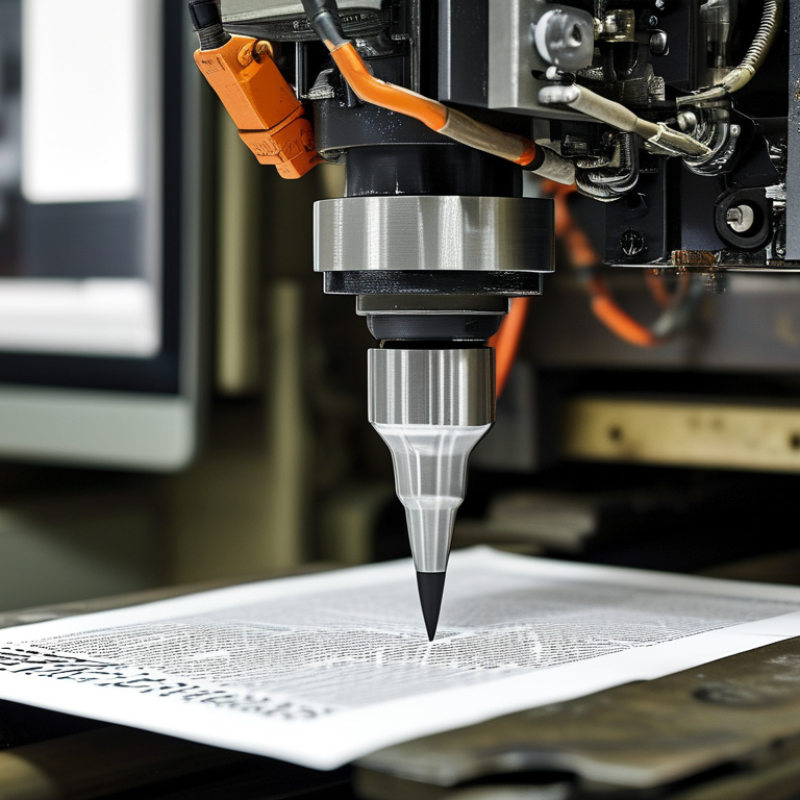
What is Print Inspection Software?
Print Inspection Software is a vital tool in modern printing operations. It streamlines quality control by using advanced technology to detect defects in real time. In a 2022 study by Smithers Pira, about 25% of printed materials contain defects that could impact quality. Inspection software addresses this challenge by automating the detection process, thus reducing manual errors and decreasing waste.
This software typically uses high-resolution cameras and sophisticated algorithms to analyze printed outputs. It can identify color discrepancies, misalignments, and other defects on-the-fly. Companies adopting these solutions report up to a 30% increase in production efficiency, according to a report from a leading industry analyst group. While implementing such technologies can be costly, the long-term savings from waste reduction are substantial.
However, reliance on technology can have downsides. Systems may misinterpret certain patterns, leading to false positives. Operators need ongoing training to manage these nuances effectively. Additionally, integrating new software into existing workflows can pose operational challenges. The learning curve can temporarily disrupt production, highlighting the need for a well-thought-out implementation strategy.
Key Features of Print Inspection Software
Print inspection software plays a crucial role in modern printing operations. This technology helps to ensure the quality of printed products. One key feature is real-time monitoring. It detects errors as they occur, minimizing waste and rework. Automated analysis of print quality can identify issues that human inspectors may overlook.
Another important aspect is the ability to generate detailed reports. These reports provide insights into production consistency. Users can track trends over time and make informed decisions.
Integration with existing systems enhances workflow efficiency. It allows seamless communication between different stages of production.
Despite advancements, print inspection software is not infallible. There are cases where specific types of defects can be missed. Sometimes, users may struggle to interpret data effectively. Continuous training and updates are necessary to maximize the software's potential. Users should remain vigilant and question the findings to ensure high-quality output.
How Print Inspection Software Works: A Step-by-Step Process
Print inspection software is a crucial tool for quality assurance in the printing industry. It automates the detection of defects on printed materials. This software captures images of printed outputs and analyzes them in real-time. By using advanced algorithms, it identifies issues, such as color deviations and misprints. The efficiency of this process reduces human error and enhances productivity.
The workflow begins with capturing high-resolution images of the print. The software processes these images, comparing them against predefined standards. It evaluates critical elements like color accuracy, alignment, and text clarity. If a discrepancy is detected, alerts are generated for the operators. This immediate feedback allows for quick corrections, minimizing waste and rework. The entire process fosters an environment of continuous improvement.
However, there are challenges to consider. Variations in lighting or substrate can affect image quality. Software may also misinterpret close shades of color, leading to false alerts. These flaws necessitate periodic adjustments and fine-tuning of the inspection parameters. Companies must remain vigilant in reviewing software performance and updating their standards regularly. Continuous learning is essential for optimizing print inspection processes.
Benefits of Using Print Inspection Software in the Printing Industry
Print inspection software plays a crucial role in enhancing quality control within the printing industry. By utilizing advanced algorithms and image processing technology, this software can detect defects in real-time during the printing process. Research indicates that implementing such software can lead to a 30% reduction in waste, drastically improving overall efficiency. The implications of enhanced accuracy are significant, with potential cost savings reaching thousands of dollars over time.
Moreover, the software's ability to ensure compliance with industry standards cannot be understated. According to the Printing Industry of America, approximately 40% of print production issues stem from manual errors. By automating inspections, facilities can minimize human intervention, providing a more reliable product. While the adoption of print inspection technology can seem daunting for some companies, the long-term benefits, including improved customer satisfaction and lower return rates, far outweigh initial challenges.
However, some operators may face a learning curve when integrating this technology. Employees may need specialized training, which could temporarily affect productivity. Yet, investing in skilled training and adapting workflows ultimately leads to substantial improvements. The continuous evolution of print inspection software reflects a growing industry trend towards automation, making it essential for facilities aiming to remain competitive.
Challenges and Solutions in Implementing Print Inspection Software
Implementing print inspection software presents several challenges that industries often overlook. One key issue is the integration with existing production systems. A survey from the Print Industry Association reveals that nearly 40% of companies face significant hurdles during the integration phase. This disconnect can delay operations and increase costs.
Data accuracy is another concern. Many organizations struggle with ensuring that the software correctly identifies defects without generating false positives. A recent report indicated that false positives can lead to unnecessary waste, affecting both profitability and resource allocation. Regular calibration and training of staff on the latest technologies can help mitigate these issues.
When adopting print inspection software, consider focusing on user-friendly interfaces. Staff will be more efficient when they can easily navigate the system. Regular updates and consistent feedback loops with operators will also enhance overall effectiveness. Continuous evaluation of performance is essential to adapt to industry changes and technological advancements. Encourage a culture of openness where team members can discuss obstacles encountered.
What is Print Inspection Software and How Does it Work? - Challenges and Solutions in Implementing Print Inspection Software
| Dimension | Description | Challenges | Solutions |
| Software Integration | The ability to work with existing printing systems. | Compatibility issues with legacy systems. | Gradual integration and custom middleware solutions. |
| Real-Time Monitoring | Continuous inspection of print quality during production. | High processing demands can slow down operations. | Use of efficient algorithms and adequate hardware. |
| Data Analysis | Analyzing defects and patterns over time. | Complexity in deriving actionable insights. | Implement machine learning for better data interpretation. |
| User Training | Training staff to efficiently use the software. | Resistance to change and unfamiliarity. | Comprehensive training programs and ongoing support. |
| Cost | Overall investment in software and training. | High initial costs for setup and integration. | Cost-benefit analysis to justify the investment. |



 Distributors
  SDS Download
  Contact