
Partner Login
Enter your username and password here on order to log in on the partner portal:
No registered partner yet?
Register nowChoosing the right Laser Machines can shape your production quality, operating costs, and ability to meet customer deadlines. Yet “best” depends on what your business actually makes. A small sign shop cutting thin acrylic has different needs from a workshop engraving metal parts or producing wooden décor.
Start with the workbench, not the sales brochure. List your materials, maximum workpiece size, required detail, and expected weekly volume. Then compare laser type, power, working area, software, ventilation needs, and service availability. A larger machine may look like room to grow, but it can also bring higher energy use, installation demands, and maintenance costs.
Details matter. Check whether the machine can handle a 600-by-400-millimeter sheet, and ask how cleanly it cuts your usual material thickness. Request a sample using your own design, not just a polished demonstration piece. Inspect the edges, engraving depth, and repeatability. Small differences can affect labor and scrap rates.
Budget beyond the purchase price. Include extraction equipment, compatible software, replacement components, training, and downtime. Confirm that the supplier provides clear operating guidance and responsive technical support. Safe setup and staff training are essential parts of ownership, not optional extras.
There is no universal winner. A machine that suits a busy production floor may overwhelm a new studio. And specifications alone can mislead. Before committing, compare realistic quotes and test the machine with the materials you plan to use. You may still discover a constraint later; that is worth acknowledging. A careful decision reduces surprises and gives your business a more reliable foundation for growth.
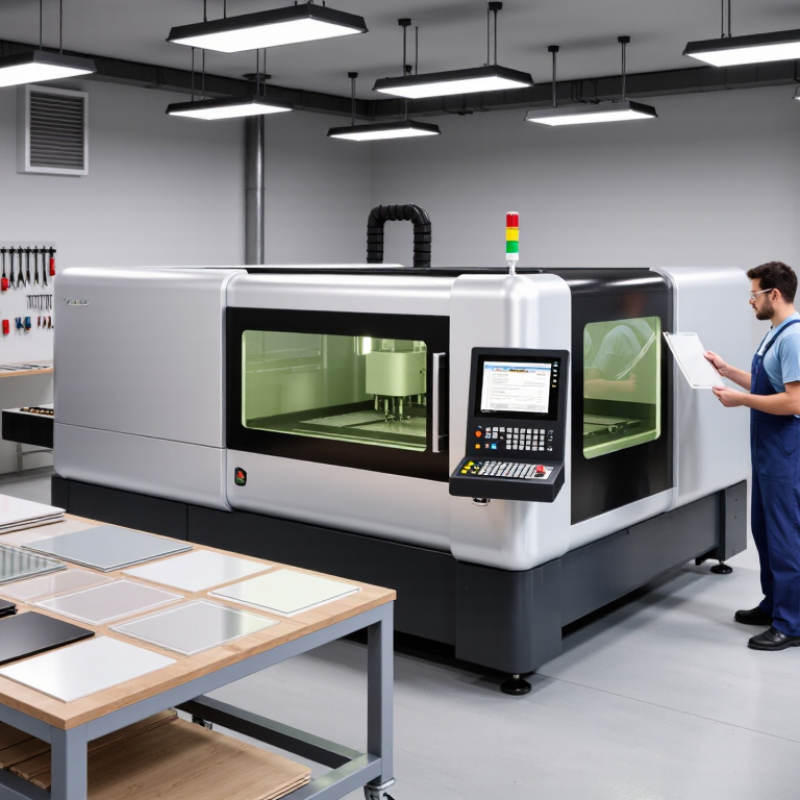
Define the job before choosing the machine. Write down each material, thickness, part size, and finish requirement. Include expected weekly volume, peak demand, and acceptable rework. A sign shop cutting 3-millimeter acrylic needs different capacity from a workshop engraving stainless-steel tools. Small differences matter.
Grand View Research estimated the global laser-cutting-machine market at about USD 5.2 billion in 2023 and projected a 7.5% compound annual growth rate through 2030. This signals expanding industrial use, not a guarantee that a particular machine will pay off. Your actual workload matters more than a market forecast.
Match the laser type to the materials and operations you perform most often. Cutting, marking, and engraving can require different power levels, work areas, extraction, and operator skills. Ask suppliers to run samples using your own materials, then inspect edge quality, cycle time, and setup effort. Measure the whole job. Include loading, cleaning, and changeovers in your estimate; these steps are easy to overlook. Check whether the machine can handle your busiest realistic shift, not just an ideal demonstration. If your application mix is still changing, be cautious about paying for capacity you may rarely use. A spreadsheet helps, but it cannot capture every shop-floor surprise.
Laser choice starts with the material, not the advertised wattage. CO2 lasers work well for cutting wood, acrylic, paper, and many fabrics. They can also engrave glass, though results depend on surface preparation and settings. Fiber lasers are generally better suited to marking or cutting metals, such as stainless steel and aluminum. A diode laser can handle thin wood, cardboard, and some coated surfaces, but it may struggle with clear acrylic or bare metal. That limitation matters.
Match the machine to the jobs you expect to repeat. A UV laser can produce fine marks on certain plastics and glass, but its higher cost may not make sense for occasional work. Check thickness, finish, and color: two acrylic sheets can react differently. Test a small offcut before quoting a production run. Watch for charring, rough edges, or faint marks, and record the settings. Do not assume one successful sample guarantees consistent batches. It is a slightly tedious step, but material tests can prevent wasted stock and missed deadlines.
Rated power matters, but it cannot predict finished-part quality by itself. A 1,500-watt machine may cut thin sheet quickly yet struggle with thick material at the same edge quality. Match power to your usual material and thickness, then test a sample at your intended settings. Check the work area against real parts, including space for fixtures and sheet loading. A bed that barely fits a panel can slow every job.
Compare cutting speed only under identical material, thickness, and quality conditions. Ask for recorded test results, not a maximum-speed claim without context. For precision, inspect kerf width, corner detail, and repeatability across several cuts. ISO 9013:2017 classifies thermal-cut quality using five quality ranges, including measures for cut-edge perpendicularity and surface profile. That gives buyers measurable criteria, though your own material tests still matter. I would not trust one perfect sample; production is less tidy.
Tips: Bring a representative drawing and material offcut to a machine trial. Measure several finished dimensions, then check whether the work area and cycle time suit your actual workflow. Don’t skip loading time.
Before comparing laser machines, map the materials, thicknesses, and daily hours you expect to handle. Safety features should match that workload, not just look impressive on a sales sheet. Check for an enclosed work area, an interlocked lid, an emergency stop, and clear status indicators. Ask how fumes are captured and filtered; a small shop may need dedicated extraction, not merely a built-in fan. Good safeguards matter.
Test the software with a real job file before buying, if possible. Can it import your common vector and raster formats, save repeatable power and speed settings, and preview the job boundary? Alignment tools and material libraries can reduce setup time, but only if operators understand them. Check the quality of the documentation, update process, and backup options. “Easy to use” is vague.
Maintenance costs include more than replacement parts. Estimate routine lens and mirror cleaning, filter changes, alignment checks, service visits, electricity, and operator training. Ask which parts are consumables, how often they need replacement, and whether local technicians can provide support. Downtime has a cost too: consider how a failed filter or alignment issue might pause production. It is easy to underestimate this.
| Machine Type | Typical Business Uses | Safety Features to Review | Software and Workflow | Maintenance Considerations | Indicative Machine-Only Cost (USD) | Best Fit |
|---|---|---|---|---|---|---|
| Diode laser engraver | Engraving and light cutting of wood, paper, leather, and some coated materials. Generally unsuitable for bare-metal marking without a suitable marking compound or specialized setup. | Prefer a fully enclosed design with a lid interlock and a viewing window rated for the laser’s wavelength. Use effective fume extraction and fire monitoring; an open-frame machine requires a controlled laser area and appropriate protective eyewear. | Check support for common vector and raster files, such as SVG and PNG, plus image-positioning tools and compatibility with the computers used by staff. | Clean the lens and work area as directed, check focus and alignment, and inspect wiring and air-assist components. Keep combustible debris away from the work area. | About $300–$5,000, depending on power, enclosure, work area, and included accessories. | Small shops, personalization businesses, and lower-volume engraving where materials and production speed match the machine’s capabilities. |
| CO2 laser engraver or cutter | Cutting and engraving many non-metal materials, including wood, acrylic, paper, and some textiles. Material suitability depends on composition; PVC and other chlorine-containing plastics should not be processed because hazardous gases can be released. | Look for an enclosed, interlocked work area, emergency stop, exhaust connection, and appropriate fire precautions. Confirm the machine’s laser classification and safeguards in its supplied documentation. | Verify that the control software supports the required vector and raster workflows, file formats, job preview, and power and speed settings. Check whether the software runs on the business’s operating systems. | Keep optics and mirrors clean, check alignment and cooling, and maintain exhaust filters or ducting. Glass laser tubes have a finite service life and may need replacement. | About $3,000–$50,000 or more; larger industrial systems and installation can cost substantially more. | Businesses producing signs, displays, packaging prototypes, gifts, or cut parts from compatible non-metal materials. |
| Fiber laser marker | Marking and engraving metals and some engineered plastics. A marking system is not automatically a metal-cutting machine; confirm its rated process and material compatibility. | Because direct or reflected beams can present serious eye and skin hazards, favor a fully enclosed system with interlocks and a suitable viewing window. Review fume extraction needs for the materials being marked. | Confirm support for vector artwork, serial numbers, barcodes, and production batch workflows if needed. Ask whether job files, parameter libraries, and user permissions suit the production team. | Fiber sources are generally low-maintenance compared with systems that use consumable laser tubes, but protective lenses, extraction, cooling components, and the work area still need inspection and cleaning. | About $2,000–$15,000 for many benchtop marking systems; specialized or automated configurations may cost more. | Product identification, tools, nameplates, traceability, and repeatable marking of metal components. |
| Fiber laser cutting system | Industrial cutting of sheet metal. Capacity depends on laser power, material type, thickness, assist gas, and the machine’s rated specifications. | Review the enclosure, interlocks, emergency stops, beam containment, and extraction system. Confirm the installation, operator training, and protective measures meet applicable local safety requirements. | Assess CAD/CAM nesting, material and cutting-parameter libraries, job scheduling, and integration with existing production systems. Check training and technical support availability. | Maintenance may include protective-window inspection and replacement, nozzle and cutting-head care, gas-system checks, filter servicing, and routine machine calibration. | About $30,000–$250,000 or more, depending on power, bed size, automation, and installation requirements. | Metal fabricators and manufacturers with sufficient throughput, floor space, operator expertise, and extraction and utility capacity. |
| UV laser marking system | Fine marking on selected plastics, glass, and other heat-sensitive materials where a lower-heat marking process may be useful. Results depend on the specific material and formulation. | Use wavelength-appropriate beam guarding and eyewear where required, and check for an enclosure, interlocks, and suitable extraction. Do not assume visible-light appearance indicates low risk. | Check image and vector import, fine-detail control, repeat-job setup, and the ability to store validated settings for each material. | Follow the supplier’s cleaning and inspection schedule for optics, protective windows, cooling, and extraction. Validate marking quality after maintenance or changes in materials. | About $10,000–$50,000 or more; configuration and automation affect the price significantly. | Businesses that need precise marking on compatible materials and can justify the higher equipment cost. |
Cost and selection note: Price ranges are broad, indicative estimates for equipment only; region, power, work area, enclosure, automation, installation, training, taxes, and service agreements can change the total cost. Request a material sample test and a written quotation. Before purchase, confirm the machine’s documentation, applicable local laser-safety requirements, ventilation needs, warranty, spare-parts availability, and expected operating costs.
Choose a laser machine your current orders can support, not one built around optimistic forecasts. Grand View Research valued the global laser processing market at USD 20.5 billion in 2023 and projected 7.7% annual growth through 2030. That suggests a growing sector, but it does not guarantee more work for your shop. That distinction matters. Deloitte and MAPI’s 2024 Smart Manufacturing and Operations Survey found that 86% of manufacturing executives expected smart factory solutions to drive competitiveness within five years. The survey is not laser-specific, so treat it as context, not a sales forecast.
Set a spending limit that includes installation, extraction, cooling, software, training, and service—not just the machine price. Then test samples of your actual materials and measure cutting time, setup time, and scrap. A fast demonstration on one perfect sheet may not reflect a full shift. A bigger machine can sit idle. That happens. If demand is uncertain, compare a right-sized model with upgrade options against a larger system’s full operating cost. Estimate payback using confirmed jobs and realistic utilization, then leave room for maintenance and slower months. The numbers may feel less exciting, but they make a safer plan.
Typical laser wavelengths offer a useful first filter when comparing machine types for your budget and growth plans.
How to use this: CO₂ lasers commonly operate at 10,600 nm, ytterbium fiber lasers near 1,064 nm, and blue diode lasers near 445 nm. Wavelength helps narrow the technology to investigate, but does not determine machine price or capability by itself. Compare machines using your target materials, production volume, sample tests, service needs, and total ownership cost.